
MetaGuard
Intercepts uploads to enforce metadata compliance at the point of entry — so no untagged, ungoverned document ever lands in your library.
Required columns don't stop anyone. Users save first and tag later — or never. By the time anyone notices, the library is full of documents no one can find, classify, or retain correctly.
Compliance moves to the moment of upload. MetaGuard intercepts the file, requires the metadata you define, and only then lets it land — so every document is governed from the first second it exists.
Governance enforced where it actually matters.
Point-of-entry enforcement
Required metadata is collected before the file is committed — no untagged uploads slip through.
Configurable rules
Define which fields are mandatory per library, content type, or document type — no code.
Retention-aware
Capture retention labels and classification at upload so records management starts on day one.
Bulk-upload ready
Handles single and multi-file uploads with batched metadata prompts that don't slow users down.
Native experience
Built as an SPFx extension — it feels like part of SharePoint, not a bolt-on.
Tenant-deployed
Installs into your own Microsoft 365 tenant — your data never leaves your environment.
See MetaGuard in action
Watch a new user sign in to a SharePoint site and have MetaGuard intercept their first upload — required columns enforced before the file lands in the library.
A closer look
MetaGuard as your users and admins actually see it.
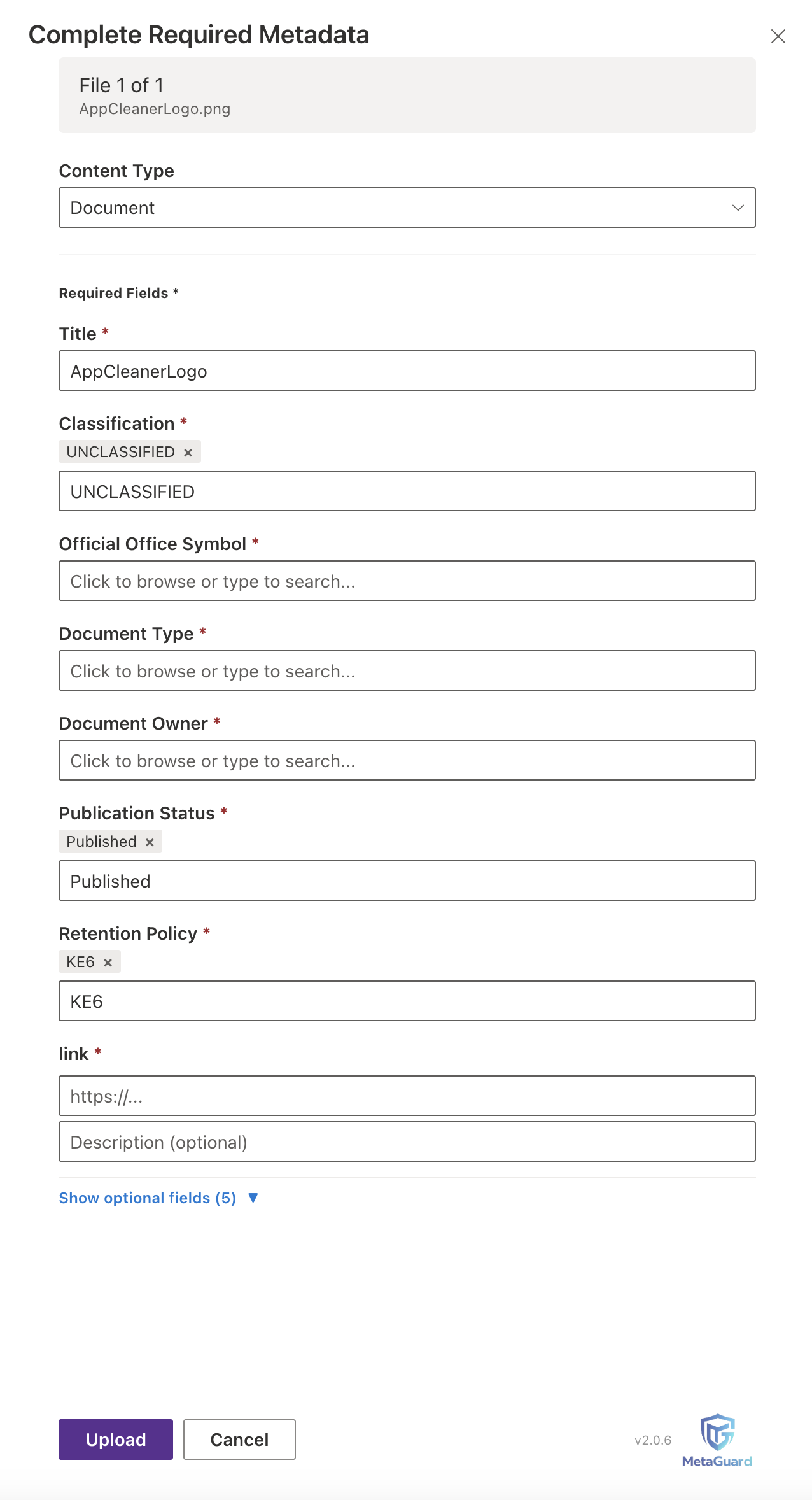
The required-metadata panel — content type selector, taxonomy fields, and a validated hyperlink field.
Drag-and-drop interception overlay.
Managed-metadata taxonomy picker.
Watch the deck
A seven-slide overview of how MetaGuard closes the metadata gap.
Use the arrow keys or on-slide controls to navigate. Open the deck in a new tab →
MetaGuard, answered.
What is MetaGuard?
MetaGuard is a SharePoint Framework (SPFx) extension that enforces required metadata at the moment a file is uploaded. If a document is missing its required columns, it doesn't enter the library — on single uploads and bulk drag-and-drop alike. Rules are configurable by library, content type, or document type, and retention labels and classifications are captured at upload. It deploys tenant-native, runs in the signed-in user's browser context, respects existing permissions, and makes no external calls.
Does MetaGuard work on bulk and drag-and-drop uploads?
Yes. Enforcement fires at the point of upload for single files and bulk drag-and-drop — the case where native SharePoint column requirements are most often bypassed.
Does MetaGuard send any data outside my tenant?
No. It runs client-side in the signed-in user's browser context, uses no external service, stores no secrets or app passwords, and has no third-party cloud dependency.
Can MetaGuard run inside a GCC High or DoD tenant?
MetaGuard deploys as a tenant-native SPFx solution inside your existing Microsoft 365 environment and operates entirely within the boundary your tenant is already authorized for — it doesn't introduce a new boundary to accredit.
Is MetaGuard available on Microsoft AppSource?
Yes. MetaGuard is published on Microsoft AppSource, with a 15-day free trial available from the listing.
Built by Darrin Kay, founder of DK Solutions 999 — a SharePoint/M365 engineer and former U.S. Army knowledge manager. MetaGuard came directly out of watching records governance fail at the point of upload.
Stop untagged uploads before they start.
See MetaGuard running against your own libraries in a short, focused demo.